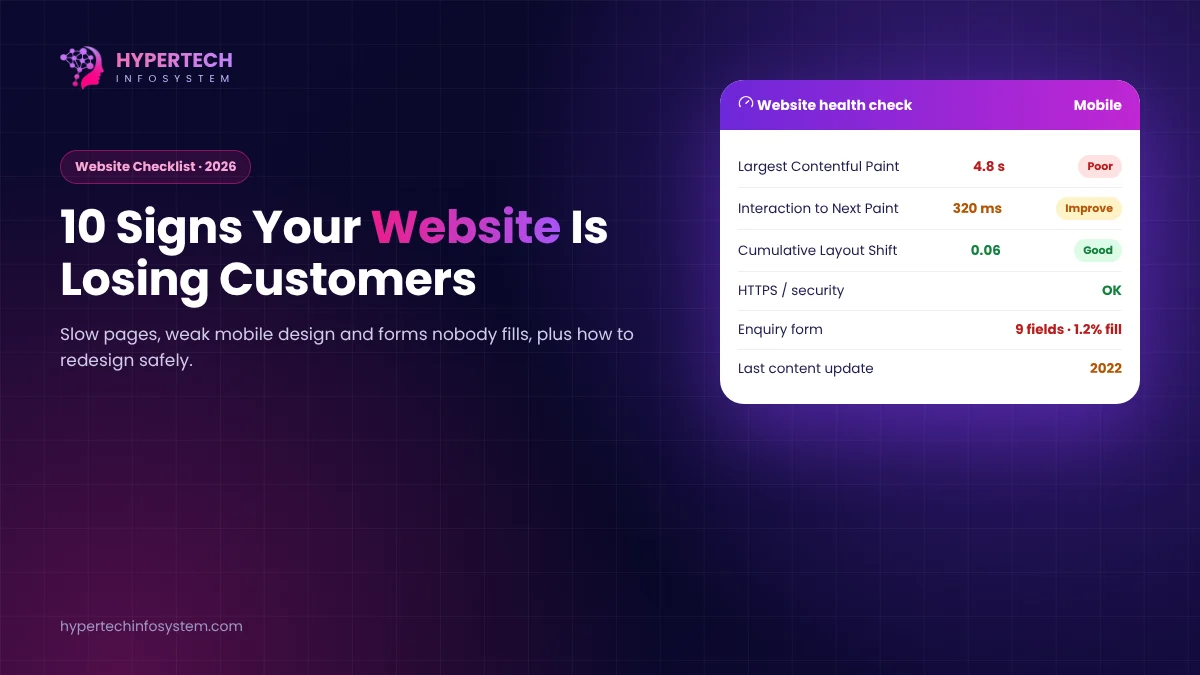
A business website rarely breaks in an obvious way. It just gets a little slower, a little older and a little less trusted each year, while enquiries drop. Here are the warning signs we look for when a client asks, “Do we really need a new website?”
1. It is slow on a phone
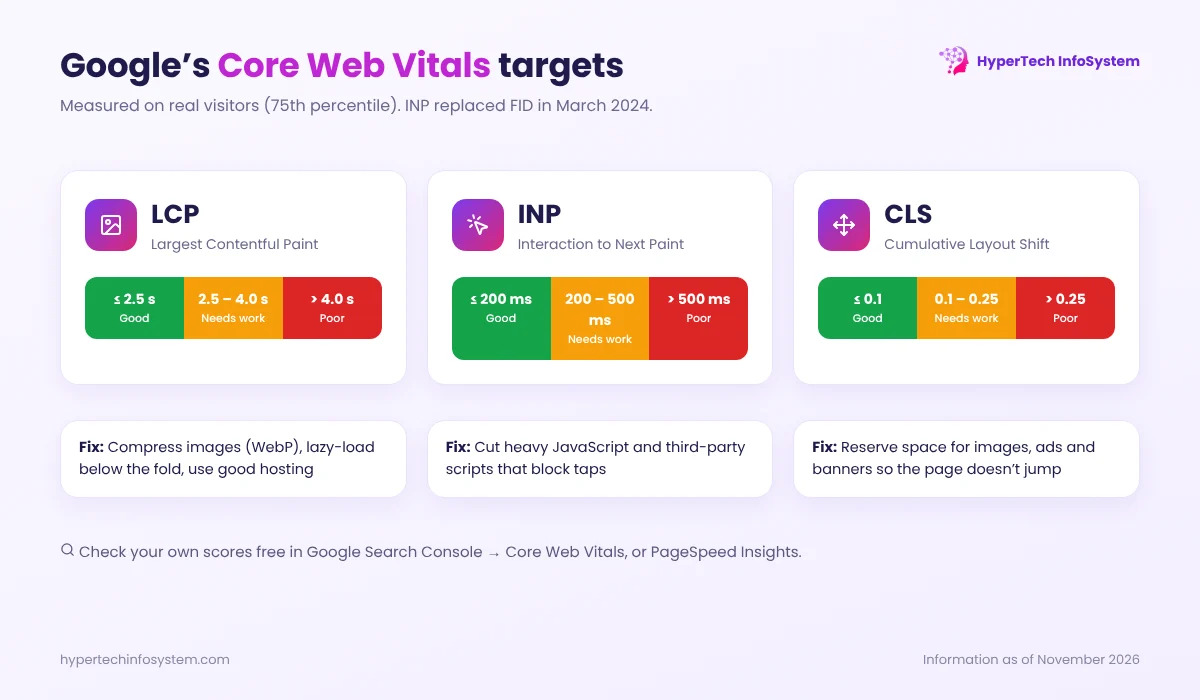
Open your site on an average Android phone on mobile data, not on office Wi-Fi. If the main content takes more than a few seconds, visitors leave. Google’s Core Web Vitals give clear targets: Largest Contentful Paint (LCP) within 2.5 seconds, Interaction to Next Paint (INP) of 200 ms or less and Cumulative Layout Shift (CLS) of 0.1 or less, measured on real visitors. INP replaced the older First Input Delay metric in March 2024. You can check your numbers free in Google Search Console or PageSpeed Insights.
2. It doesn’t work properly on mobile
Tiny text, buttons too close together, menus that don’t open, or tables that run off the screen. Google uses the mobile version of your site for indexing, so a poor mobile site hurts both visitors and rankings.
3. Visitors come, but enquiries don’t
If analytics shows traffic but your phone isn’t ringing, the problem is usually unclear messaging, buried contact options or a long, broken form. Every page should make the next step obvious: call, WhatsApp, get a quote or book a meeting.
4. It looks older than your business
Customers judge credibility in seconds. An outdated design, stock photos and old offers make a capable company look small or inactive.
5. Your team can’t update it
If changing a price, adding a product or posting a blog needs a developer every time, the website will always be out of date. A modern site gives you an easy admin panel.
6. It doesn’t show up on Google
Missing page titles and descriptions, no sitemap, duplicate pages, no structured data and thin content keep you invisible for the searches that matter. A redesign is a good moment to fix the technical SEO foundation.
7. Security warnings or old software
No HTTPS, a browser “not secure” warning, outdated plugins or an old PHP version put your visitors and data at risk. Hacked sites can also be flagged by Google.
8. Your business has changed, but the site hasn’t
New services, new locations or new products that aren’t on the website are lost opportunities. So is a site that talks about what you did five years ago.
9. No trust signals
Real client logos, case studies, reviews, team photos, certifications and a physical address build confidence. Without them, visitors hesitate, especially for higher-value services.
10. You can’t measure anything
If you don’t know where visitors come from, which pages they read and which ones lead to enquiries, every marketing decision is a guess. Analytics and conversion tracking should be built in.
How to redesign without losing rankings
- Audit first: list your top pages by traffic and enquiries, and keep what already works.
- Keep or redirect every URL. Use 301 redirects from old addresses to the new ones; this is the most common cause of traffic drops after a redesign.
- Write content for customers: clear services, prices or price ranges where possible, and FAQs.
- Build for speed: optimised images (WebP), lazy loading, clean code and good hosting.
- Launch carefully: submit the new sitemap in Search Console and watch errors for a few weeks.
Need a second opinion?
HyperTech InfoSystem builds fast, SEO-ready business websites and portals with an easy admin panel. Book a free website review and we’ll share a short, honest list of what to fix first, whether or not you redesign with us.
Sources: Google web.dev, Core Web Vitals thresholds and “INP becomes a Core Web Vital on March 12, 2024”; Google Search Central documentation on mobile-first indexing.
0 Comments
No comments yet. Be the first to share your thoughts!
Leave a Comment
Your email will not be published. Comments appear after approval.